
How to best unify Web UI
Unified means that no matter where you’re located in the system, every control and UI element of that same family retains the same look and feel

I have been working in software design as a Frontend Engineer for 6+ years (old post imported from Medium, written 4 years ago). In that time, I have had my fair share of hands-on experience building various web applications. I’ve learned why unified UI design is important. Unified means that no matter where you’re located in the system, every control and UI element of that same family retains the same look and feel. Nevertheless, no matter how important unified design is, even today we can see inconsistencies creeping into the web systems here and there.
So why does this matter and what steps do I take to unify my current system? Before answering, let’s discuss why it’s so important to take these steps and learn how to identify an inconsistent UI.
How to identify inconsistent user interfaces
Visual — most noticeable type. UI elements look different from one another
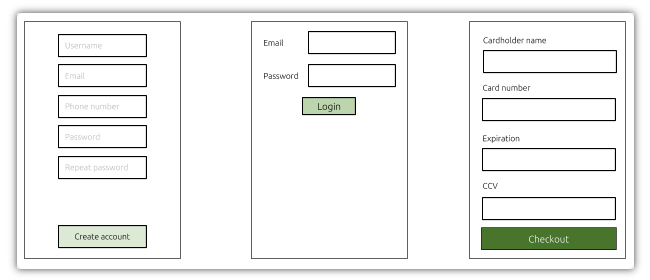
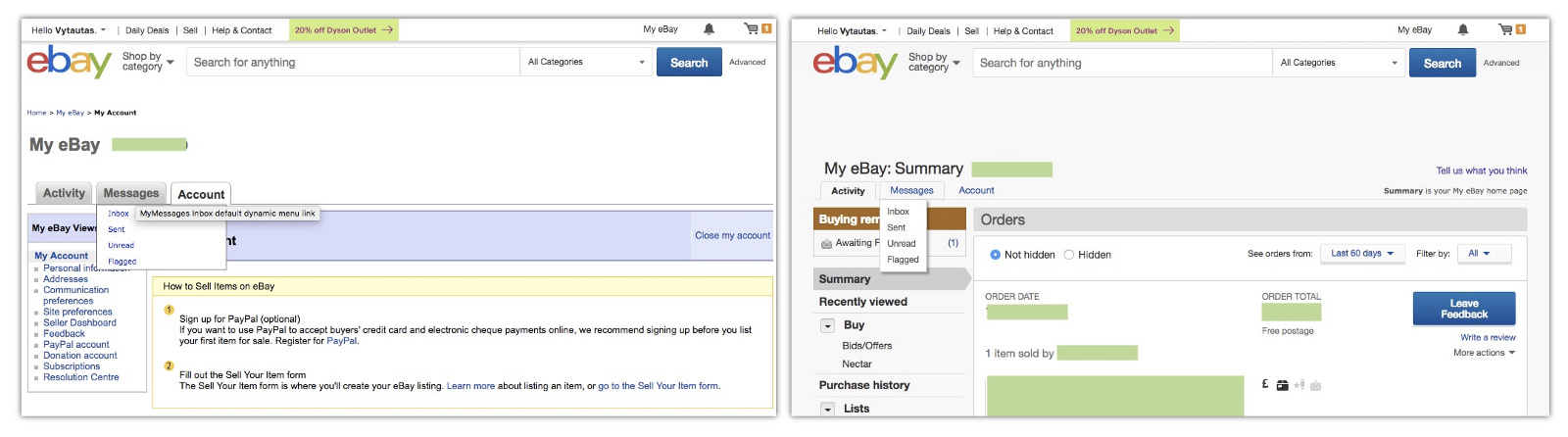

Functional inconsistency — when the same action behaves differently and provides a different user experience.
a) Navigating between different pages of a system and pressing browser’s back button takes you to the previous page. You may expect that pressing back while in the image viewer modal would close the modal but the system instead takes you to the previous page leading to irritation
b) You have two forms that don’t fit on the screen and submit the data — in one place you scroll the form to the very first error so that the user becomes aware of it in another you leave the scroll where it is letting the user figure out what went wrong on her own
Underlying implementation inconsistency — when the same element is implemented in multiple different ways using different approaches. This type of inconsistency could possibly be invisible to the end user. However, in most cases, it is the primary reason for the previously mentioned inconsistency types.
Problems caused by inconsistency
Degraded user experience
It becomes more difficult for users to learn how to interact with the UI. Each unique experience requires the user to memorize and identify it as a variation
Users build more trust in products with consistent user interfaces. If their experiences are different across the product, they lose trust quickly
Inconsistent products are more difficult to maintain. The product team must be aware of each variation and build accordingly. Striving for simplistic, straightforward designs help users and development teams!
Why does the inconsistency happen?
Throughout my career I’ve identified several reasons:
There is no existing design system that could be used when designers are creating designs
There is no single code-base that could be used among different development teams. Very often you can find that even the same team recreates the same thing from scratch every time the new project comes in
Most important of all, lack of company-wide strategy which would ensure a path to a consistent UI
How to solve the inconsistency problem?
In my opinion resolution of the problem should originate at the most upper management level in the company. Unless there is a company-wide strategy for dealing with inconsistency it will be almost impossible to solve this alone by yourself. One needs to convince developers, designers, and even product people to be on the same page regarding unification, not to mention a big chunk of development and planning resources required for the initial version.
The bigger the company you work for, the harder it will be because everyone either have their own opinion, don’t want to get involved at all, don’t see the point in this or simply don’t understand the benefits of it.
If you are in the engineering executive position and you can make a decision for unification to become a company strategy, start by implementing the following steps:
Set up goals for the design team to create a design system that must be followed for any new or existing designs
Minimizes inconsistencies between different designs
Provides UI/UX documentation
Designers don’t have to spend time working on the same things
Encourages collaboration on bigger problems
Start working on a single code base for UI components that is shared across the entire company
Ensures identical design for the same components in different areas of a product
Prevents developers from reinventing the same things over and over again and allows them to focus on actually building the product
Reduces the costs of maintenance
Allows to roll out updated design much more efficiently
Helps ship fixed UI/UX-related issues much quicker
Ideally, a dedicated UI development team should be established to work on UI/UX conventions and implementation. The team should consist of both designers and developers working side by side
Clear ownership improves development efficiency and issue resolving speed
Lets avoid useless disagreements and endless discussions between different departments of how one or another thing should be implemented
Direct and quick feedback has a great impact on overall productivity and long-term maintenance of the UI framework
Lets other teams focus on product development rather than spending time on UI creation
Where to start?
Creating unique and dedicated design system and rolling out UI component library developed in-house requires quite a bit of investment of both time and development resources, not to mention that it requires experienced people behind it in order to create a high quality outcome. However, this is definitely not a reason to avoid it and keep working in an “old-fashioned” way. There are plenty of amazing already existing solutions built by big names or supported by a huge community. An extensive list of such projects can be found on
https://adele.uxpin.com
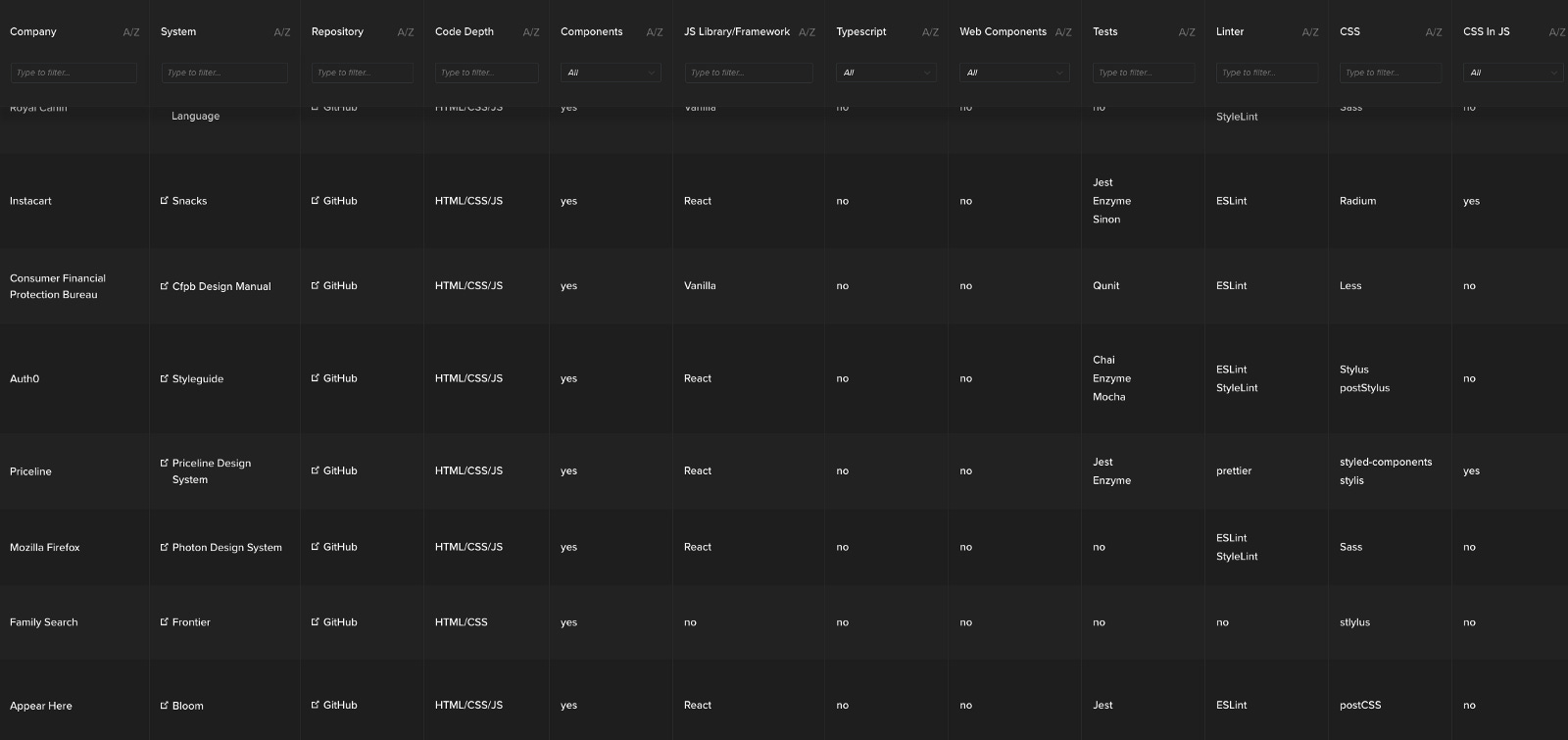
My personal favorite is Semantic UI which has an amazing React implementation (very well thought out API). If it were up to me I would use it as a base/starting point for the initial version of your own design system and component library. It has over 3000 variables which allow to fine-tune the design, a large spectrum of the most commonly used components, big community support and, most importantly, it is licensed under MIT licence (which basically allows doing whatever you want with it).
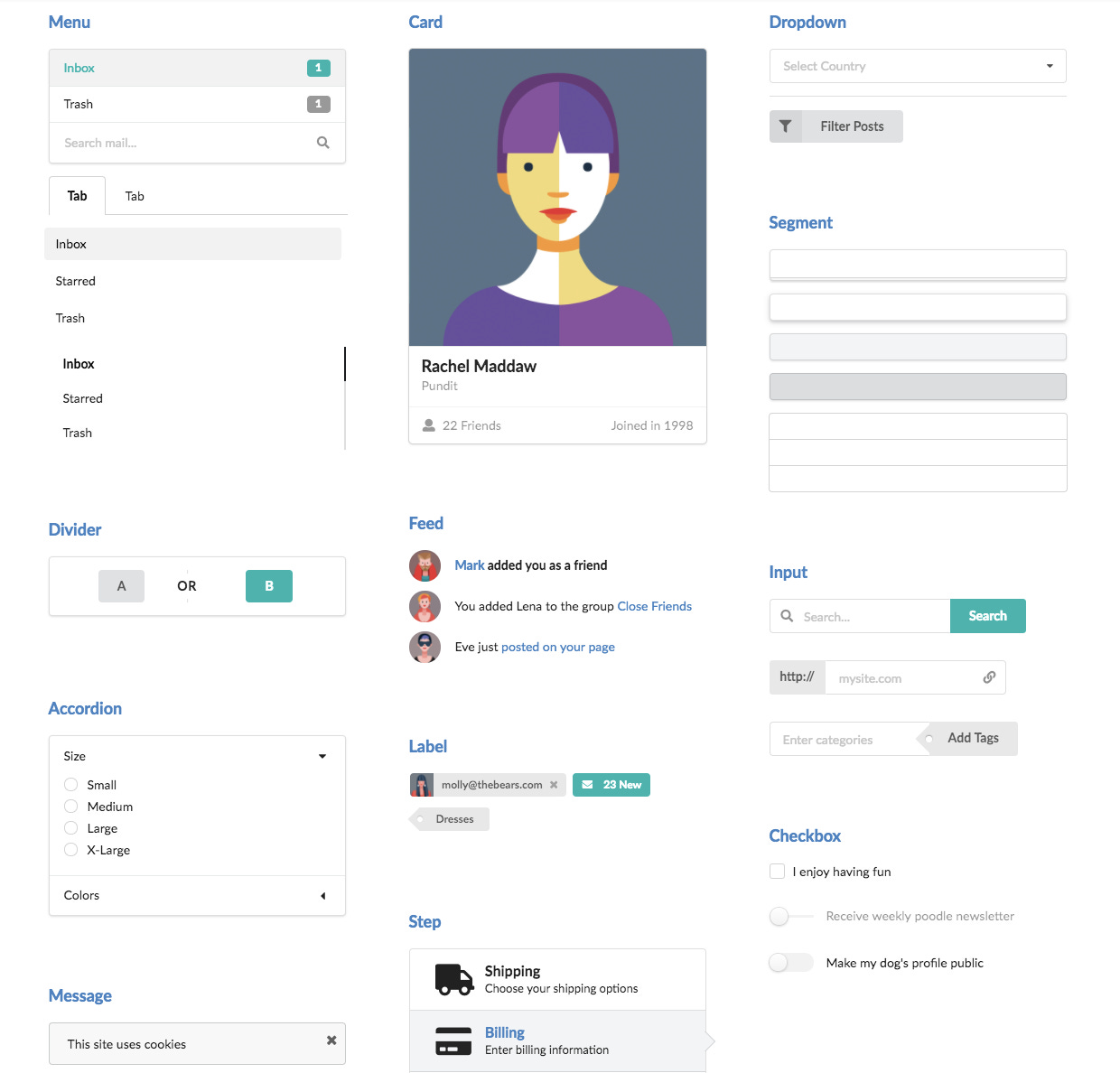
By copying something that was very well thought out and has a track record amongst the community you will most likely avoid a lot of mistakes that you would otherwise make by building everything from scratch.